
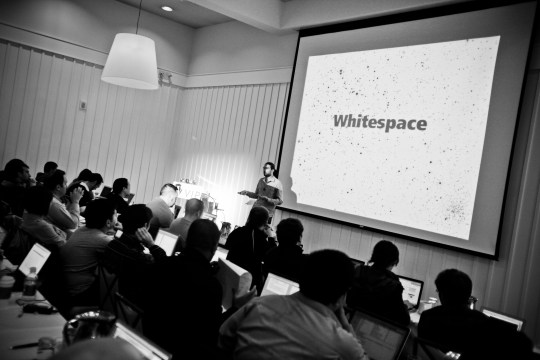
Taylor Buley of Parade.com presented at the Big Media WordPress Meetup in New York City on how his team uses the theme customizer to make editorial changes on the fly. We’ve shared previously, and we’re publishing it again now with full transcript below.
Parade.com/customizer, It’s a Google app, nothing special. What I’m going to try to do is, I’ve done a webinar on this before, so I can talk your ear off on a customize API.
So what I’m going to do is try to be demo focused so I’m going to tell you what I’m going to talk about and show you what exactly is Parade and get into the developer side of it.
By the end, I hope that I’ve convinced the developers to be on the side of the editorial people and that side is the same one we heard earlier, which is I think the quote was “what I would really like from WordPress is an interface for editing the page while I’m looking at it”. And so that’s what I’m going to talk about today, there is such an interface, it was released in WordPress 3.4 and it’s really awesome.
What I’m going to do is first talk about what the WordPress customizer is, that’s the API I’m talking about and then we’ll show you how it works. It does exactly what we described earlier, which is you look at the page and you actually edit.
So who are we at Parade, we are a website, I like to think first, but we are a print publication, we’ve been doing the model that Newscred has been doing since 1941. We have a network of 700 newspaper partners, they carry this thing, it falls out of the newspaper for some people. Some people look through all the advertisements specifically to find it.
We have two such magazines, one was called Dash and the other was Parade. We’ve been around forever but this year we did a redesign and a rebranding and we went from all caps to uppercased. We also redid the entire website and CMS architecture along with it so if you don’t want to read this, I’m sure you don’t, just go ahead and pass it around. I just want some people to be familiar if you haven’t ever seen the print publication. I did not grow up with it, my Grandma did. I did not.
This is us, this is our website. It’s designed by Athletics, an amazing design firm. James Ellis is here today from Athletics, if you’re looking for an amazing designer, pitch his work all day. We have this thing it’s called Promo block, we have this thing called a grid screen, we are a lot like every other media website on the planet, right?
We have an article template, we have channels, we have a homepage, we have special types of articles that people who write these special types of articles would love to think that they’re different than everything else, but in WordPress this is all just a post.
So we are very uninteresting in how Parade.com uses WordPress in general. I’ll tell you, we use all of it. Except for search, we use Google custom search, we never queried MySQL live, ever, it’s a terrible idea, if anyone has thought about it.
Besides from that, we use everything, so what we’re looking for is when we have such a system that had a windows-like interface, an old CMS called open-CMS and it was a great idea to bring on, it’s open-source, well supported and all that.
Except, the developers who previous to our team let it rot and when you let a CMS rot, you get a piece of shit, right? And so what we had to come into is, this year we came into January and we had to start over. We didn’t figured out how to nicely wrap WordPress as a content engine underneath the MySQL and Mongo database that pushes stuff out via Real Time’s indication API.
Instead, we just threw everything away and the way we threw everything away was first we developed a mobile website, a proof of concept, make sure it works, advertisers liked it, we developed the rest of the website around it, had the mobile website up in January, my first month at the company, and had the rest of the website up in April.
The reason why we were able to do this was discussed by the NY Times developer, WordPress is nimble, WordPress does all of this stuff and if you’re trying to figure out a way to reinvent a UI that looks at the page while you’re editing it you just look deeper into core, it’s there and so I would encourage you all to.
It’s great it’s fun as a developer to develop elegant systems that run on multiple different types of instances and communicate across rest API’s and XML RTC and this and that, that’s all great, but WordPress is great too. What I’m going to show you today is something I think is really really cool inside of WordPress that people haven’t talked about and it’s the Customizer API.
So this is TwentyThirteen, you’ve seen it before. Has anyone not seen this interface specifically? So what I’m talking about it is not the theme, you’ve seen the theme before, it’s TwentyThirteen, this, has anyone not seen this before, has anyone not explored the theme, so you guys have seen this?
You know what it is – interface, website, this is basically an iFrame the way that this works is this is WordPress admin, basically we’ve got wp-admin, Customize.php up here.
What it does is takes the get parameter url = and then injects that guy into the iFrame and you’ve got post message communication across these guys and what you’re able to do is get live previewing and that’s what I’m going to demo today is a way to live preview so a little bit more on what it is in general.
So this is WordPress.com, you may have seen this too, it’s also the customizer API, it’s fancier, it looks better than what I’m going to show you today and all they did was just style this in CSS. You can take the core principles that I’m presenting here today, the very cool things that I hope you like that we’re doing and you can make it look as fancy as you want.
It seems like a very simple statement, matter-of-fact, everyone will agree here. Things on the web are best produced while you’re looking at them, right?
You can make it flat and take away the shadings and all that, but it’s still WordPress. So that’s kind of the message I’m trying to say today is “why is this so good?”
So this is our interface and what we’ve got is anything you can see on our website is editable. Why is that? That’s because I’m a journalist, I worked at Forbes as a reporter, I’ve worked at the Wall Street Journal, worked at various places then I got into development and worked out of the Silicon Valley bureau we had POS CMS at Forbes.
Through mutiny internally, WordPress became the CMS, it was awesome. But then we became the team in charge of the WordPress CMS site, eventually we got some of our pages stripped away from us. We went from having article pages, general pages, all that to just providing the editorial engine to someone like […] and now they’re selling this thing on the marketplace and you can actually license it which is awesome for them.
But we come from this legacy of being journalists, we’re editorial people, my boss Steve McNally is an editorial person, he’s a private person. What he doesn’t want is somebody in the backend, editing the front end of the page.
It seems like a very simple statement, matter-of-fact, everyone will agree here. Things on the web are best produced while you’re looking at them, right?
That seems very matter-of-fact, I don’t think anyone would disagree with this and yet every CMS we see on the planet is designed to run a back-end and a front-end and there’s a back-end and there may be a preview button but that takes you to the front-end. Or you could try to do a preview in an iFrame and that’s special because that one’s on the back-end. But it’s still just the front-end loading the back-end.
All of these are just fancy ways of doing the same thing Customizer API does it elegant and simply back-end wrapped in an iFrame with a front-end in it and what we get with this is you are looking at the actual page.
So you can do the fancy responsive thing where you show your boss like “oh cool I can scale by 30% which means when I go in and go out and it shrinks and all that, you can see exactly what you’re getting and it works on mobile and on everything else – why?
Because it’s WordPress, I didn’t invent anything here. I didn’t do anything here, this is me implementing a vanilla javascript API, or a vanilla PHP javascript API.
These are all the different things that the Customizer tool offers so it’s got check boxes, it’s got input fields, it’s got an HTML 5 drag and drop image picker tool, it’s got color pickers, it’s got radio buttons and you know drop downs.
It’s essentially any form you’ve ever created is already supported, any field you would like to invent, is extendible via the API, we’ve done it once but not very frequently because we don’t need to – the input button, the radio button, it does everything we need.
I’ll show you what that looks like – I’m going to pull up our development environment. I’m going to hope it works, it’s a private development environment. Make sure your wifi’s sniffing, I’m sure this is a public access point, it’s not protected, so go ahead, I’ll reset my password by the end of this.
We’ve got a stamp protector plugin so when it detects a bad id it tries to slow down the spammer, so it looks like it’s flagged me also.
I don’t know what I just clicked into, but it looks like it’s going to be a channel, so what you’re looking at is the exact same tools we ask our editors to use. What we do is we say “editors, you have this thing called a promo block, this thing called a page view, a tag bar”.We’ve got share buttons just like everyone else.
You know there’s really nothing too special here about the design itself. What is special is that it works across tablet, phone, wide desktop and desktop. So if you look at this on your mobile device, and I encourage you right now to do that so we can get some extra visits to the website.
You’ll see that it’s a lot of the same design interfaces it’s just what we did is tablet is a two grid across, a phone is a one grid across. It very much makes sense, I appreciate the design thought put into this, but when I was given it, it was static flat files in CSS so I did not have to do front end development of CSS, I did not have to do front end development of the mark-up. But we were tasked to take this site and bring it to life.
So what you might do is create a theme options plugin or something like that you know we have some of those or you could do what we did and take our thing. Okay, so what did I just do there? Nothing special. This is just a type, this is post meta, this is going to be stories posted. We’ll be looking at different options, so site options, we’ll be looking at posts and sorting posts meta. Your member tools, it’s going to be sorted as user meta.
There is zero custom tables in our WordPress install. That is on purpose, zero custom tables alright, so all of this is default WordPress and there’s nothing special going on here. So what we’re doing is live previewing – if I had a sponsor label, that would override this.
So all this is is the same stuff you’ve done on the server side, the templating, your wp theme thing, we’re now doing on the client side as well. Where we’ve gotten away with this a little bit better is we’re using front-end. We’re using handlebars for our templating system so we’re able to use php, the same templating system that we use on the front-end, which is a little bit of a cheat.
Another big benefit of this is we can prepare advertising campaigns for free, live them up, screenshot them they’re done without ever actually pushing any code, making any changes.
The one of the big challenges with this is that you have to account for all the different states, so if I remove the sponsor text. Either it’s going to show a bug or goes to live preview cause you have to think about all the different possible UI states you’re in and implementing them in multiple places.
This doesn’t come for free, but you’re able to do some other cool things, so I guess I’ll show a couple more. Davis did you save some images to this machine for me?
- Yeah, on the desktop.
Excellent – I’m going to use this very cool image picker tool, alright and now what I’m going to do is update the promo block. What I’m going to do is just I picked a file, using the file picker, it’s chugging along and probably uploading it right now, and I’m able to see what it looks like now, right?
So this is called a promo block image and what that means is it comes with aspect ratio. So this is inspiration from the “Don’t kill the kitten” if you’re a developer you’ll get that joke.
I’m able to see what the image looks like so we’ve got a photo editor who tries stuff out. She figures we’ve got these boxes that are blocking some of the action so we don’t want to get heads cropped off or things done and they’re able to just go in and test it.
Another big benefit of this is we can prepare advertising campaigns for free, live them up, screenshot them they’re done without ever actually pushing any code, making any changes.
A couple of really cool things going on: we do, this is more than what you’ll find in TwentyTwelve, right? So what you’ll find in TwentyTwelve is a wallpaper tool, and that’s how we found this, we were like “okay, this is really cool”, advertising wanted a wallpaper.
I was like “dude, WordPress has got this covered no problem” pulled out all the customize tools, we had one tool in here it was the wallpaper. Designers come back and say it has to be responsive. That means we can’t use one image we have to use three. So we had to look into how do we customize this thing.
Turned out it was a breeze, we were able to do this in a weekend. It’s just that the site becomes a lot more alive and as you’re promoting, as you’re curating, as you’re calling stuff out, you’re able to actually see what it is.
So now I have the journalists and the editorial people paying attention because they don’t use tools like these at most places, right?
You end up in preview hell where you’ve got the preview button to go back tweak, the headline didn’t fit, didn’t break right, go back, tweak the headline, didn’t fit, you publish it, you find out you go in the most popular box, it doesn’t fit in the most popular box, you have to edit your headline again to make sure that it fits in individual places.
It’s just that the site becomes a lot more alive and as you’re promoting, as you’re curating, as you’re calling stuff out, you’re able to actually see what it is.
What we use is these tools to allow us to customize the headline for any given spot, so when I save this promo block headline, it becomes post meta, and only on that promo block.
I can do it down to the channel, we can have these support in post meta food promo block title, entertainment promo block title, anything you can think of can be customized on this thing and it’s mostly happening through these tools.
Pull open another tool really, I’m trying to get through this as soon as possible. I know that I’m the one in front of you guys to drink and that’s not cool, trying to get through.
Allowing these are article tools and so this is going to be the heart of what this article level data is the […] to journalists and allowing…oh awesome, allowing, thank you, what did I put there?
If you’re going to create tools start, oh great, so we have a sheet right here.
It’s an ad, it’s taking over the iFrame, it’s trying to inject it into the parent, terrible coder has ruined this for us. Not going to be able, whatever, I can go through this, it’s making me do it, and again did I say, visit parade.com?
Anyway, so I’m just going to show you the tools since we, and our advertisers […]If you can see this, what we’ve got, It’s just so much cooler to see live previewing but what we’ve got is this thing over here communicating the iFrame post mentions over here and then it’s just terrible.
Everytime you talk of one of these options something happens on this side so…trust me, it works. We have things like drop caps, which is like cool for designers but make no sense if you write a lead with just one sentence in it, it makes no sense.
So the designer, no offense, wanted us to put these things on everything and i’m like no, because it just doesn’t work so we always create an escape and our tools are our escape.
There’s nothing that doesn’t flow through WordPress in our system. But you want to be able to give humans the ability to interweave human touch inside of that algorithm content.
So we apply our default behaviour to everything and that allows the tools to override. So featured image is always shown by default but you can disable it because it doesn’t make sense sometimes to have an image followed by and image followed by an image drop cap. Mark, it’s this little print thingy at the back of the article and sidebar will make it look all fancy on the side.
You can pick which channels this indicates to. I don’t like to have content management in the tools themselves but we do this because our editors are pressing us to have one spot where they can edit everything.
What you can do is set the primary channel and that carries that colour that you saw around the thing, you can choose which promo blocks to send it out to.So I’m at the article level, I want this to appear in the home page on the first slide. I go ahead and save and publish it, it will appear there. Go through the rest of the tools – pins and spikes that’s a really cool concept
I’d love you guys to adopt pins and spikes are just “I would love this to be at the top of the stream”. What we want to do as developers is provide algorithm content. Every piece of our streams flows through wp […].
There’s nothing that doesn’t flow through WordPress in our system. But you want to be able to give humans the ability to interweave human touch inside of that algorithm content.
The way we do that, the way that we chose to do that is something called pins and spikes, where pins will force something to the top of the stream, spikes will prevent it from displaying the stream.
Add units, we have apps and they need to manage things I don’t want to give them editor rights because then they can delete content so what we do is give them edit ability to look at the page.
Edit the add units on the page and make those changes in here and then we don’t have to give them full on wp admin access, we just do a little bit of fancy stuff capability and we give it to certain users.
There’s that drop cap I was so angry about which you can imagine (it looks lovely) it looks lovely says the designer of the drop cap. You know, it’s a website, there’s nothing special…
Parade is very special, we are an amazing company, we are a unique butterfly, but we are just like every other, we’ve got categories and tags there’s really nothing too special.
And you guys, I would encourage you to slay the beast, you know. I don’t mean to pick on the Washington Post who by the way is one of our best partners and carries our stuff on Sunday thank you very much. Like just kill the old CMS, it hurts, it hurts really bad, but it hurts a lot less than having to maintain two systems, having to get these guys to talk together.
And if you need something like tools, don’t let WordPress get in the way. WordPress has a tool available for you, so I’m just going to call it there. Basically there’s a whole bunch of port function that you guys can hook into your devs.
If you try to invent a new interface that will supersede it, surpass it, be better, you’re wrong, you’re wrong.
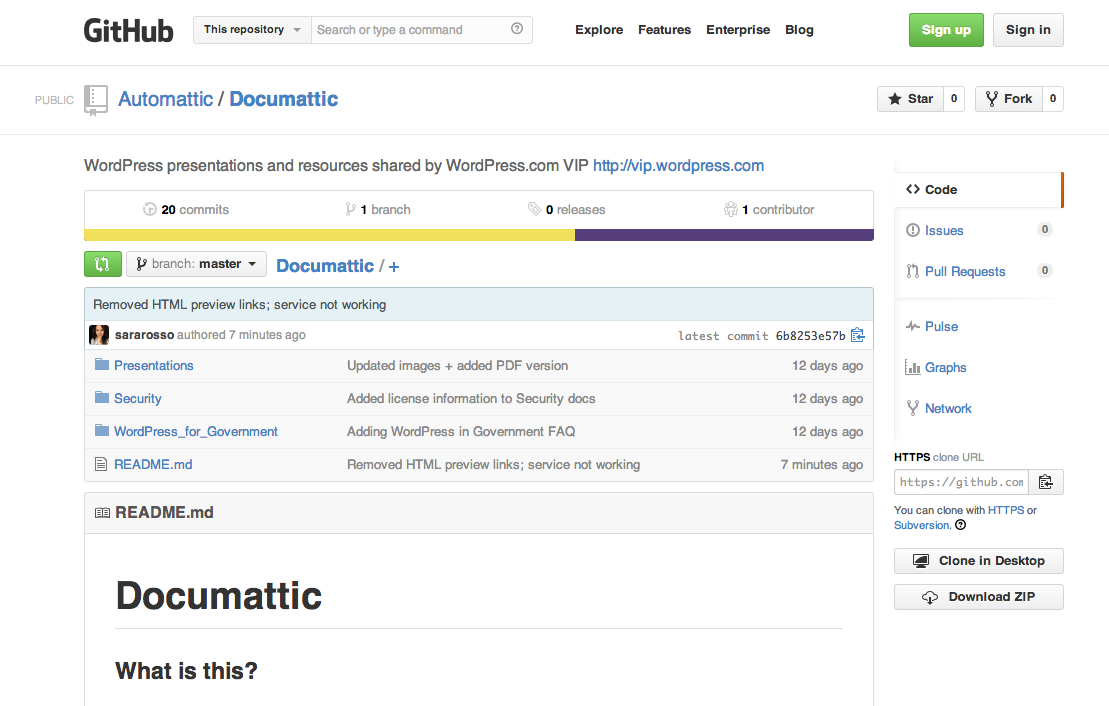
Like I have this example code, this GitHub repo you can clone like copy these ideas, that little disk is that demo so if you guys want I could experiment with some of these content, the only key is that there’s this parameter called URL loophole and you have to figure out how to translate your URL back into your WordPress post.
So if you guys were here for the last WordPress meetup, I would espouse the Quartz model of URL. I don’t know if you guys remember that talk, but they had the unique identifier in the URL, it’s awesome, we also have the author slug, the user name in the URL itself. ‘Cause then you can do translation back to the author itself with that data, it’s good for analytics, it’s good for all this.
The only trick is that you have this get parameter and you have to decide what tools you want to display based on the get parameter. So if you have really crazy URLs you’re not going to be able to easily translate that back into “oh these are tags, this is a tag page, you need to show me a my tag page, this is a member page so I need to show my member page tool”, you’ll see in the code that’s there’s like full on examples for everything.
You basically register sections, sections are like these drop down things, you register settings and like attach a control to it and then WordPress takes care of the rest and then you just have to field the data as it’s coming in and figure out where to store it. Not complex stuff, we were able to get the core promotional tools running in a weekend, no joke using this code base and I would encourage you it thoroughly.
So if there are any questions, i’d be happy to take it. I have these fancy USB sticks for people who ask questions because I’m sure you guys are burgeoning with them.
There’s a PDF with a link to our website. I’m not sure who created that marketing campaign, you should go ahead and go to our website directly.
Questions, can I answer any questions.
Q: Are you previewing those things, or were they live?
A: Ah, live previewing, that’s crazy right? So what you’re doing is manipulating the dom, and you’re going to have to manipulate the dom in the same way that you’ve been manipulating the dom in Javascript.
You do it in Javascript, what you do is you get a promise from the WordPress customizer API and anytime that value changes, at some point in the future, you get a call back that happens and then you decide what to do with it from there.
You get the key and the value, so what we did is we ended up doing a lot of like hacky-ish stuff, one of our really cool tools just like no demo of whatsoever, so you can drag and drop stuff and update stuff, that’s really cool.
The way that we’re able to do that is we smuggle data into the keys. It’s really bad practice in general, but it’s awesome with this I’ll tell you. So you can make those keys as long as you want, you know, we put the pin order, where it came from, all that data is in the key. I just read the key and it tells me what to do, I have a function that basically parses the key and figures out what to do from there. Very very simple stuff.
But it’s live previewing, so only when you hit this save and publish button do the changes that are here which are being updated in this form field but they are being reflected over here, this is the actual website.
I’ve done nothing to edit any code here until I can update and then I’m just updating post meta values, site options and user meta that ends up being displayed on the site. The huge caveat there, the huge caveat there is that as soon as your editors get on the crack that is editorial tools, we call these surf and edit tools because you surf and you edit. At the same time, they will want everything to update immediately which as a large website, is like no way, we have 12 caches, and no.
So what you end up having to do is create some sort of API that listens to update meta events and figures out where to cache, where to purge the caches. We’ve got literally thousands of places to be cached, for data to be cached. We have one call to action called purge post, give it a post id and it purges all of the locations for that.
So as a developer it’s not for free, especially if you’re on a large-traffic website, but we’re able to, I mean we run all of Parade on WordPress, it does all of our templating, it does everything.
We use maybe three web apps, we’ve got a master/slave database and then cache insets and that’s it. Very vanilla install, we’re talking like $800 a month to run as far as infrastructure costs go. Not human costs, we have our op, we have our dev, we have me and a couple of contractors and all that. But it is, like you’ll save tons and tons of dough if you’re to be doing this because you’ll live and preview it at the same time.
Q: So you can have another radio button that says disable?
A: You know that actually, I have one probably, yeah that’s exactly what we do. If it’s a real preview we actually disable ads. Customize previews are these weird beasts where they’re like supposed to be friendly you know stuff but you get this action where it’s like a customized preview so you get some Javascript in there to be able to handle all the post events. But yeah, exactly, we have all our eds tools are basically turning them off.
Questions, can’t throw it to you, fancy USB key, I know you want it, right anyone else? Questions?
Q: What about the front end for the actual composition, where they have to do some fancy […]?
A: So this is huge and important and I want to impress this upon all of you. All of what you see here is promotional stuff so I talked about how I’m uncomfortable with the fact that there are category check boxes in there. I’m uncomfortable because WordPress admin is the single best CMS admin tool on the planet.
If you try to invent a new interface that will supersede it, surpass it, be better, you’re wrong, you’re wrong.
What we do is we don’t touch wp-admin, we provide all of these tools also on the wp-admin site because there are power users who love to be in HTML mode, in wp-admin, have their custom fields shown.
Some people will manipulate some of this data, it’s all in custom fields mostly at the post level, they’ll do it by hand but we don’t want that to be the training on day 1.
We want to be like “here’s you article, if you want to change the headline, do this” but that’s all that the headline is, it appears on the food channel, or the promo block channel or whatever.
If they’re actually editing the headline itself, they’re doing it in the WordPress backend, because I very firmly believe that the WordPress backend is the single best place to edit.
Q: Do you end up duplicating the […]?
A: yeah so that’s other huge issue and that’s why we moved to client side templating. Because what you’re going to end up doing is it’s not just duplicating code, it’s like duplicating code and doing backflips while doing it.
Because when you try to handle this scenario, where you got stuff on our member tools, like you can edit your social stuff like website title and all this, like okay, if you have a website title but you don’t have a website URL, you can display it.
So it’s not like you can just take the code that you have that already constructed this thing together and just display it again, this is one of the other problems that’s really slow.
What it’s doing is WordPress loads, it loads the page inside of it, this is a page it’s our deepest and slowest page that’s why I chose to load it. It’s got 100 items on it, even if one of these items passes through our promotions API…that was like 5 seconds.
No it’s longer than that, rendering time each one of these goes through and goes “I’m on a member page do I have any special headlines here ” and all this. So there’s also that overhead of tons more queries.
You’re talking about a lot of very small queries, unless you’re loading all the data up front and passing it around all your objects.
I wanted to show some of the crazy stuff, which is like I have a website title and that makes no sense if I don’t have a URL but now it shows up and then it’s got the website title but then I remove the website title and it figured out to use […].
So like you have to handle all these cases, it’s not as simple as being a client site template gallery where it’s just slap the data object into the template, it’s got the handlebar things it looks good you have to think about all the corner cases and like before this demo I was like if you looked at our GitHub if you guys want to laugh.
All the bugs I had to like I wanted this demo to go better than it did with the ad there and I was making sure that all the corner cases worked that if you like have show email disable, okay here’s a great one…
So you have show email disabled, but then you click show email, well your templated code doesn’t have an email, cause when the page loads, it was told not to show the page, so nowhere we have this best practice where we wouldn’t move a dom element if it isn’t needed.
We don’t leave it empty because it can have averse design effects so we don’t remove it entirely, which means if I want to show email first I have to provide this preview with the email beforehand or that featured image that I told you about that was like right here.
If that’s disabled on page load, well in this customized view, I actually have to load it anyway and then I hide it, and then when they want it, I show it.
So we’re talking about not just duplicating code, we’re talking about backflips while doing it so it is not for the, you’ve got to really know what you want when you do this thing, and what I would suggest is you come up with exactly the form fields and mock it out in photoshop, figure how you want it and figure out the behaviours associated with those and then code.
‘Cause otherwise you’re going to find yourself in all these weird corner cases that you won’t know how to deal with.
For Big Media & Enterprise WordPress Meetup groups in other cities, see the full list on VIP Events and join your local group.
Want more information about WordPress services for media or enterprise sites? Get in touch.
 In this post, WordPress VIP Featured Service Partner
  WordPress VIP Lobby
You must be logged in to post a comment.