
Two features we wanted to highlight that are available to VIPs to improve the sharing experience for your users.
Open Graph

About a month ago, we enabled Open Graph Tags for all public blogs on WordPress.com. Open Graph tags make it easier for you to control what information Facebook, Google+, and other services display when users share posts from your site. We excluded VIP sites as many of you already have custom code that handles these tags.
If you don’t already have Open Graph implemented on your site or want to trim some code from your theme(s), you can add the following helper function to your functions.php and the tags will be auto-generated for you.
wpcom_vip_enable_opengraph();
If you’d like a closer look at the code that generates the tags, you can find it here: https://gist.github.com/1196068. (We made sure to sprinkle some extra BBQ sauce for handling Gallery images and Author pages!)
If you’d like to fine-tune the output of the tags, you can filter jetpack_open_graph_tags and modify the array that’s passed in.
Here’s what this post looks like (with Open Graph enabled) when sharing on Facebook and Google+:


Twitter /via
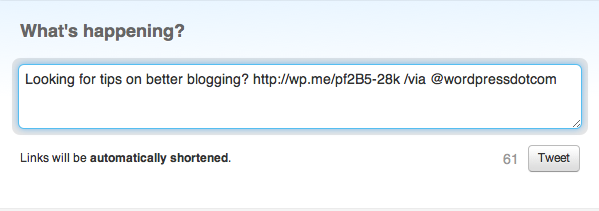
If you’re using the built-in WordPress.com Sharing buttons, we’ve added a helper function to customize the “/via” tag appended to Tweets. Just add the following to your functions.php and change the argument to the username you want attributed.
wpcom_vip_sharing_twitter_via( 'automattic' );
If you want to disable the “/via”, just pass in false
wpcom_vip_sharing_twitter_via( false );
If you need help implementing either of these, please get in touch.
Have you taken our VIP Services Customer Satisfaction Survey yet? We’d love your input.
 WordPress VIP Lobby
You must be logged in to post a comment.